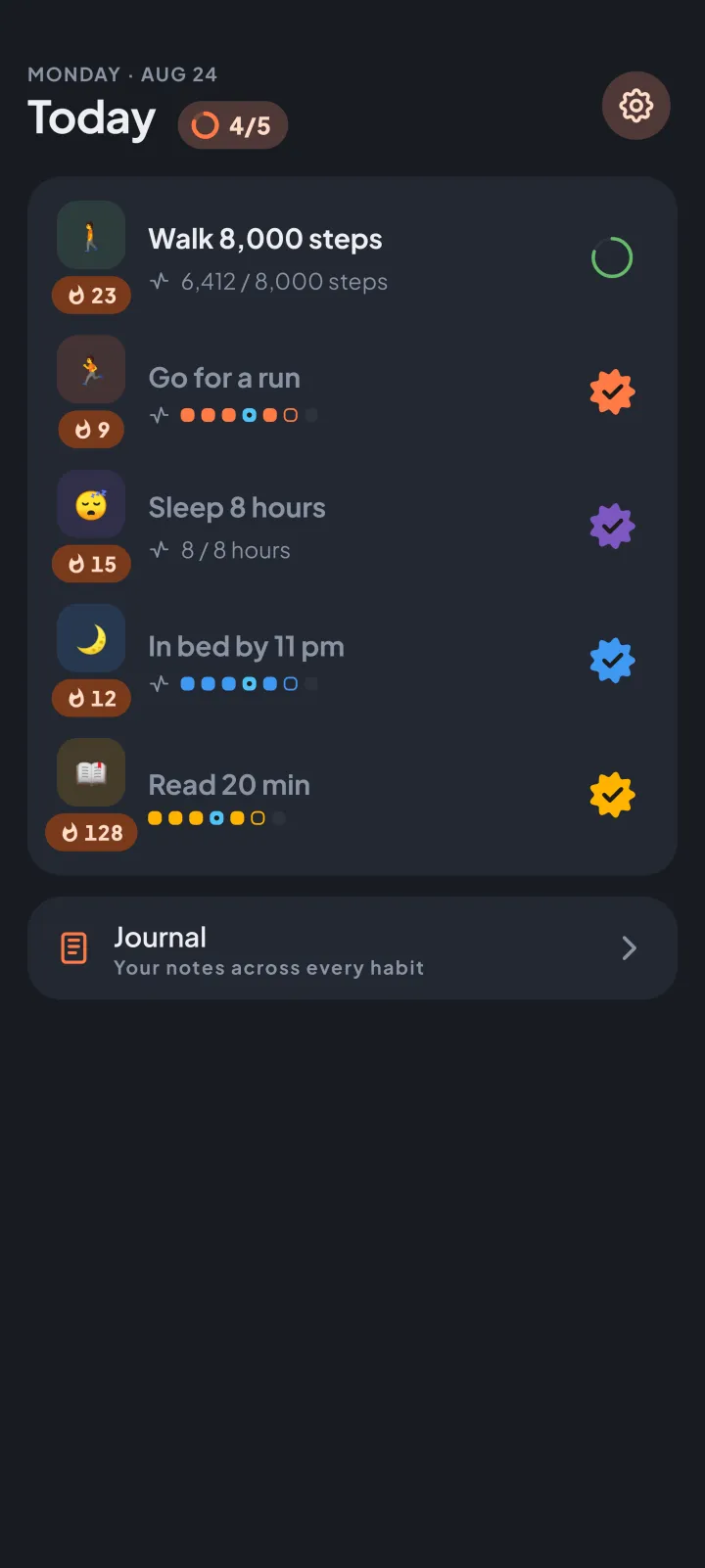
How it works
link it once
Open a habit's form
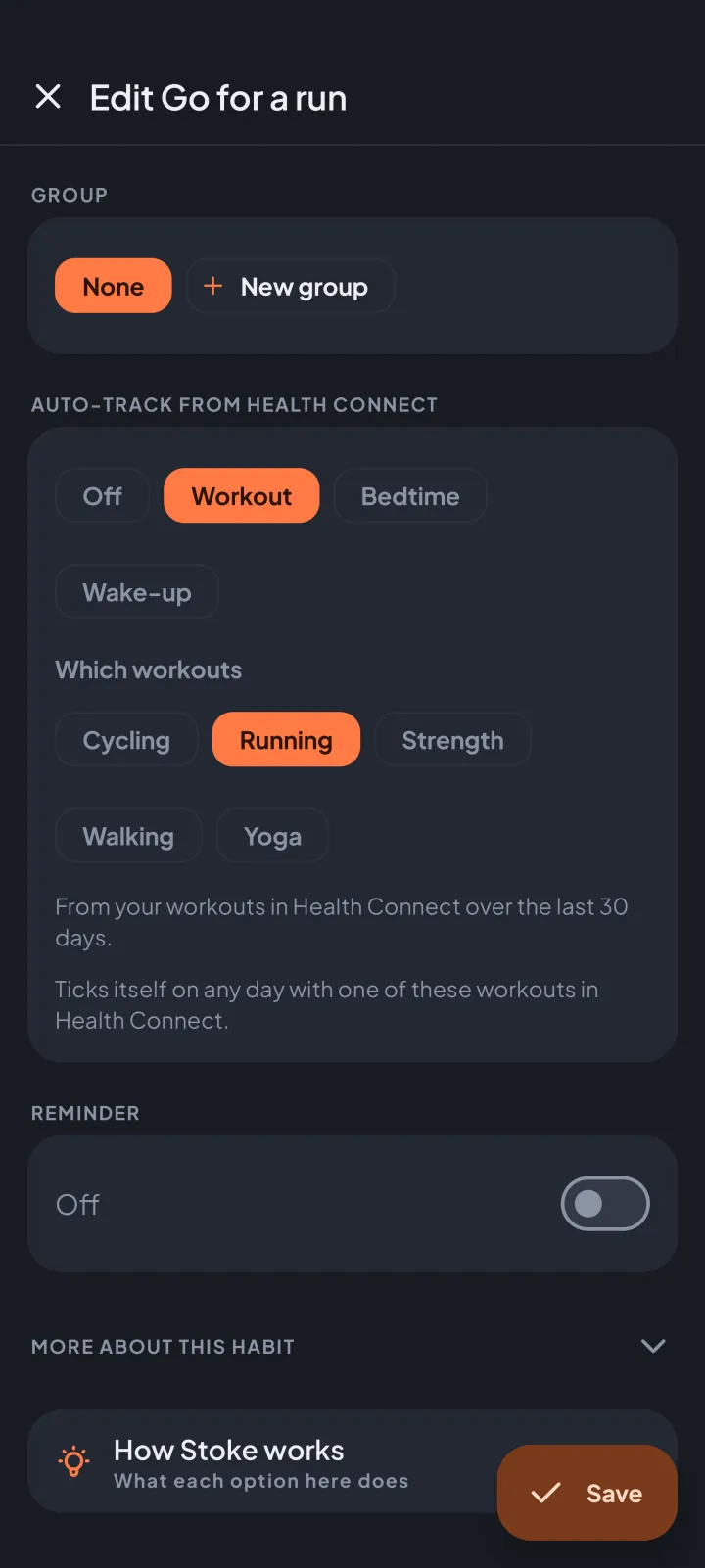
Add a habit, or edit one, and find Auto-track from Health Connect.
Pick what it reads
Steps, exercise minutes, sleep hours, distance or active calories for an amount; a workout, a bedtime or a wake-up time for a yes/no habit. Android asks you to allow each kind of data you link, and Stoke only reads.
Stoke fills it in
It checks about once an hour and whenever you open it, and keeps only each day's result as the habit's check-in.
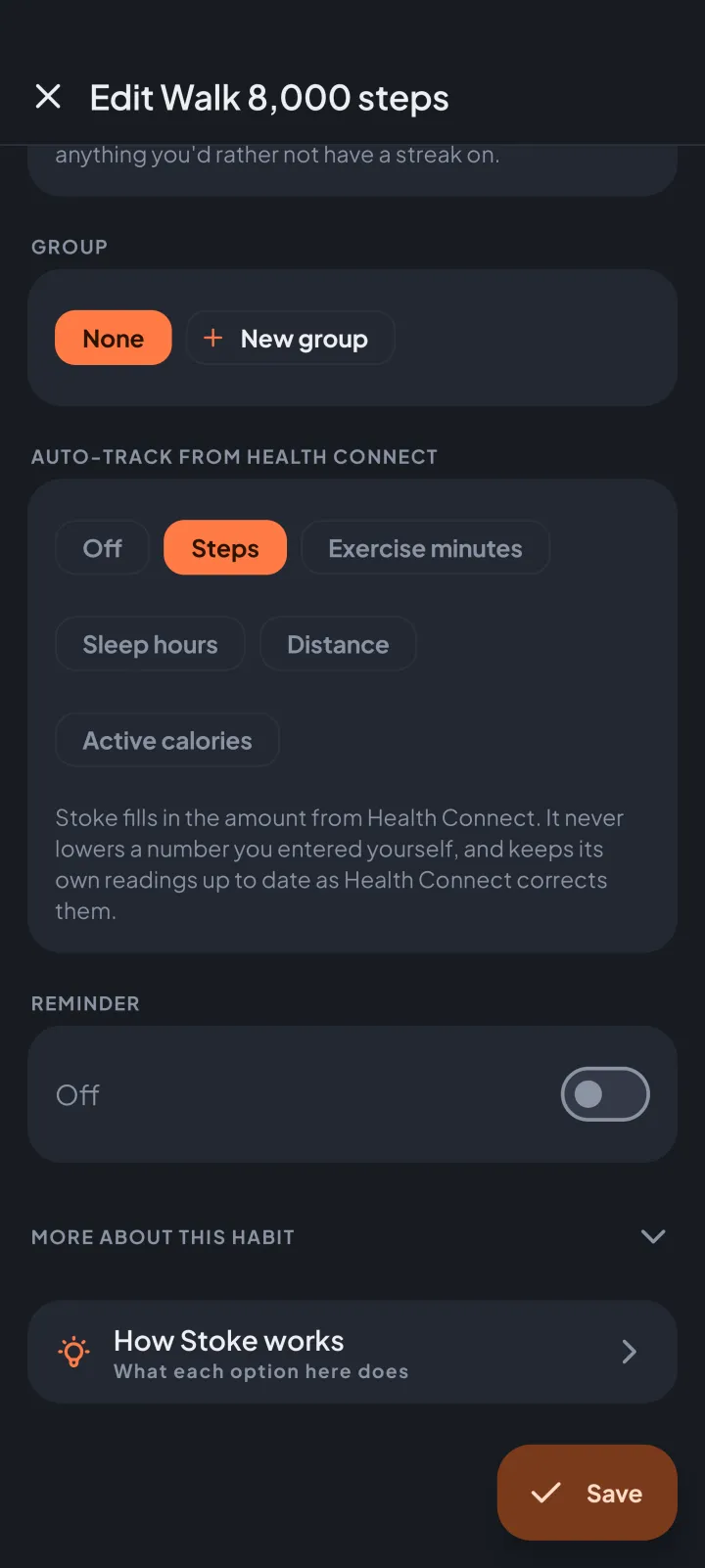
Workouts you've recorded
a run that ticks itself
Pick Workout on a yes/no habit, then the kinds that count.
The picker shows the workouts Health Connect has recorded for you over the last 30 days, so every choice can actually tick. "Go for a run" then ticks itself on any day with a run in Health Connect, like one your watch records.
What it can track
from your phone, your watch or your fitness app
Health Connect is where Android keeps the health data your phone, your watch or your fitness app records.
Amounts through the day
Steps, distance, exercise minutes and active calories fill an amount habit through the day, like "Walk 8,000 steps".
Sleep, bedtime and wake-up
"Sleep 8 hours" counts last night's sleep. "In bed by 11 pm" and "Up by 7" tick when you fell asleep or woke up in time. A night counts toward the morning it ends.
Yes or no habits too
A habit that's simply done or not done can tick itself for a workout, a bedtime or a wake-up time.
On a Wear OS watch? Stoke runs there too: Stoke on Wear OS.
part of premium
Health Connect auto-tracking comes with Premium, a one-time purchase, not a subscription. Every new install gets 14 days with every feature, this included.
Tracking by hand stays free after the trial.